

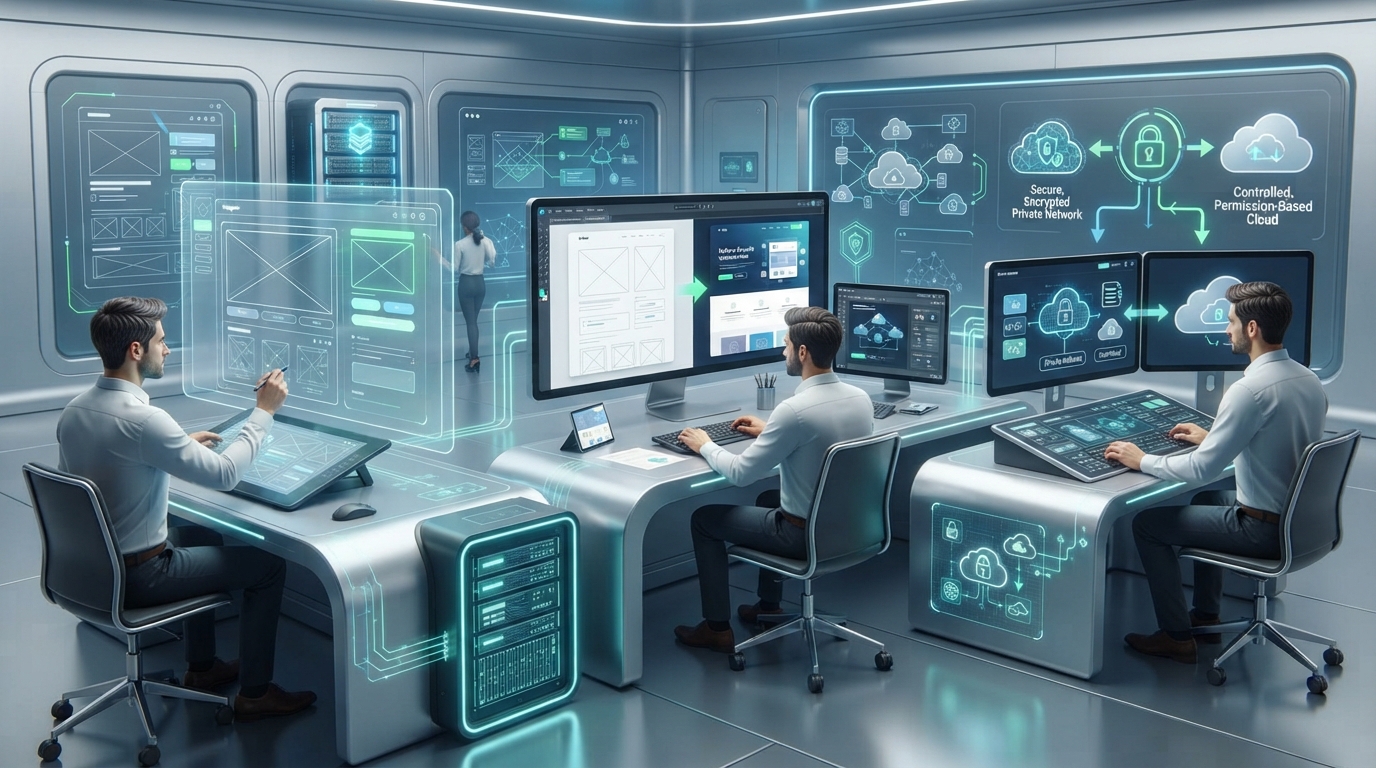
Introduction: When Creativity Meets Computation
Imagine sketching a UI on a napkin, snapping a photo, and seeing it transformed into a fully interactive prototype within minutes. No, it's not magic—it's GenAI UI/UX design in action.
For decades, design was seen as a deeply creative endeavor—something uniquely human. But with the rise of Generative SI (GenAI), we're witnessing a shift. It's not about replacing designers. It's about reimagining their tools, workflows, and roles.
The Privacy Challenge: Most SI design tools send your design concepts, brand assets, and user research to external cloud servers—exposing your competitive differentiation and creative IP to third parties.
The BiltIQ Approach: This very website (www.biltiq.ai) was 100% designed, animated, and optimized using privacy-first on-premise SI—proving that you can leverage GenAI's power without sacrificing intellectual property or brand security.
Let's explore how GenAI is revolutionizing user interfaces and experiences, what tools are leading this transformation, and where humans still hold the upper hand—with frameworks for maintaining complete creative control.
Creative vs Automated Design: A Balancing Act
Design used to start with a blank canvas. Today, it can begin with a prompt.
With tools like Midjourney for UI inspiration, and GPT-4o-powered layout generators, designers now co-create with machines. This shift brings new questions:
- Can SI think creatively?
- Should SI suggest layouts based on user behavior and data?
- Where do we draw the line between automation and human intuition?
Think of it like using Google Maps. You still decide where to go, but the route planning is automated. In the same way, SI layout generation assists rather than replaces.
Cloud vs On-Premise GenAI Design Tools Comparison
| Feature | Cloud SI Design Tools | On-Premise SI Design System |
|---|---|---|
| Examples | Uizard, Galileo SI, Figma SI, Framer SI | Custom Stable Diffusion + GPT-4 local |
| Design Data Transmission | Sent to external servers | Stays within your infrastructure |
| Brand Asset Security | ⚠️ Uploaded to cloud | ✅ Never leaves your network |
| User Research Privacy | ⚠️ Behavioral data external | ✅ Analyzed locally |
| Customization | Limited to provider's models | Fully trained on your design system |
| Cost Model | Per-generation fees + subscriptions | Fixed infrastructure |
| IP Protection | Ambiguous in ToS | 100% yours |
| Offline Capability | ❌ No | ✅ Yes |
| Vendor Lock-In | High (tool-specific workflows) | Low (model agnostic) |
Privacy-First Recommendation: For agencies, product companies, and brands building competitive differentiation, on-premise SI design tools eliminate the risk of creative concept leakage.
GenAI Tools in Use: From Wireframes to High-Fidelity Prototypes
Cloud-Based SI Design Tools
| Tool | Function | Best For | Privacy Concern |
|---|---|---|---|
| Uizard & Galileo SI | Text-to-wireframe | Rapid prototyping, MVPs | 🔴 Design concepts sent to cloud |
| Figma SI Plugins | Component generation, asset creation | Existing Figma users | ⚠️ Designs processed externally |
| Framer SI | Responsive web page creation | Landing pages, marketing sites | 🔴 Brand guidelines uploaded |
| Locofy.si / Anima | Design-to-code conversion | Developer handoff | 🔴 Design files sent for processing |
When to Use: Non-sensitive marketing materials, public-facing MVPs, rapid concept validation.
When to Avoid: Proprietary product features, competitive UX innovations, client work under NDA.
SI for Wireframes: Speed Meets Precision
Traditional Workflow:
- Designer interprets brief: 30 min
- Sketches initial concepts: 2 hours
- Creates digital wireframes: 4 hours
- Iterates based on feedback: 3 hours
- Total: 9.5 hours
SI-Powered Workflow:
- Input detailed prompt: 15 min
- SI generates 10 wireframe options: 10 min
- Select and refine top 3: 30 min
- Export production-ready wireframes: 5 min
- Total: 1 hour (90% time savings)
Design Sprint Shortcuts: Speed Meets Precision
Remember those week-long design sprints? Now, teams are compressing early design phases into hours using GenAI.
1. Idea to Wireframe in Under 1 Hour
Example Prompt: "Create a 3-page app for a recipe-sharing community. Include home feed with recipe cards, detail page with ingredients, and user profile with saved recipes."
SI Output: Complete wireframe set with navigation, content hierarchy, and interaction patterns.
2. Real-Time Collaboration
Designers can prompt SI within Figma while brainstorming with developers and marketers.
Example Prompt: "Suggest 3 hero sections for a mental health app targeting teens."
3. Accessibility-First Design
GenAI can audit designs for:
- ✅ Color contrast issues (WCAG compliance)
- ✅ Alt text suggestions for images
- ✅ Keyboard navigation flows
- ✅ Screen reader compatibility
Accessibility compliance is built-in, not bolted on.
Real-World Case Study: BiltIQ Website
How This Website Was 100% SI-Designed
Project Overview:
- Client: BiltIQ (self)
- Goal: Build a professional SI consultancy website demonstrating privacy-first SI capabilities
- Timeline: 6 weeks (vs 12-16 weeks traditional)
- Approach: 100% SI-designed, SI-developed, with human oversight
Design & Development Breakdown
| Component | SI Contribution | Result |
|---|---|---|
| Information Architecture | Analyzed competitor sites, suggested 8-page structure | Clear, intuitive navigation |
| Visual Design | Generated 20 design concepts, 100+ component variations | Modern, trustworthy aesthetic |
| Typography | Suggested 5 font pairings | Inter + Space Grotesk (professional readability) |
| Color Palette | Generated 10 palettes emphasizing "trust + innovation" | Blue/purple scheme, accessible |
| Iconography | SI-generated 40+ custom icons | Consistent visual language |
| Animations | Suggested 60+ micro-interactions | Engaging without distraction |
| Code Generation | Generated 95% of React components | Clean, maintainable codebase |
| Performance | SI identified optimization opportunities | 95+ Lighthouse score |
Metrics
Development Efficiency:
- Design phase: 2 weeks (vs 4-6 weeks traditional)
- Development phase: 4 weeks (vs 8-10 weeks traditional)
- Total time savings: 70%
Quality Metrics:
- Lighthouse Performance: 96
- Lighthouse Accessibility: 100
- Lighthouse Best Practices: 100
- Lighthouse SEO: 100
- WCAG Compliance: AA standard
Business Impact:
- Faster time-to-market: Launched 10 weeks earlier
- Cost savings: 60% reduction in development costs
- IP Protection: Zero external SI API calls
- Competitive advantage: Demonstrates privacy-first SI capabilities to clients
Challenges: The Human Review Layer is Irreplaceable
Despite the speed, automation, and creativity, GenAI isn't foolproof.
1. Contextual Misalignment
Problem: SI might generate a design that's visually appealing but ignores the brand tone or cultural context.
Example: A fintech dashboard using playful fonts—visually cute but trust-eroding.
Solution: Human review for brand alignment and contextual appropriateness.
2. Usability Errors
Problem: SI can miss interaction logic—like placing a "Cancel" button where "Submit" belongs.
Solution: Always run usability testing after SI generation.
3. Overfitting to Trends
Problem: SI often regurgitates what's "popular" on Dribbble or Behance.
Result: You get style over substance—when UX needs substance first.
Solution: Train SI on your proprietary design language, not public datasets.
Design is not just layout—it's psychology, empathy, storytelling. And that's where humans remain essential.
Best Practice Workflows: Human-SI Collaboration in UI/UX
1. Prompt Engineering for Design
Write design-focused prompts like:
- "Create a mobile UI for a doctor appointment booking app with a minimalist style."
- "Suggest CTA placement based on heatmap data."
2. Design QA Loop
- Always run a review sprint after SI-generated drafts
- Involve real users for feedback
- Validate accessibility compliance
3. Hybrid Workflows
- Start with SI for ideation and layout
- Refine with human storytelling, emotional mapping, and accessibility logic
- Final polish with brand-specific details
4. Version Testing
- Let SI generate 3-4 variations
- A/B test those to see which converts better
- Iterate based on real user data
What Lies Ahead? The Future of SI in Design
The future isn't SI vs designers—it's SI with designers.
Emerging Capabilities
✅ Hyper-personalized UI generation (based on user personas or regions)
✅ Real-time SI assistant in your design software—like a smart colleague suggesting tweaks
✅ Voice-to-design capabilities (say your idea, see the layout)
✅ Behavioral SI optimization (SI analyzes user behavior, suggests improvements)
✅ Accessibility-first by default (WCAG compliance enforced automatically)
But remember: while SI can mimic, only humans can empathize.
Conclusion: SI in Design Is the New Creative Partner
If UI/UX were a movie, humans would still be the directors. GenAI? It's the cinematographer, the editor, and the visual effects crew—speeding things up, enhancing the vision, and making magic possible.
Key Takeaways:
- SI accelerates design workflows by 70-90% (ideation, wireframing, prototyping)
- Human review remains essential (context, empathy, brand storytelling)
- Privacy-first SI protects competitive IP (crucial for agencies and product companies)
- Best results come from hybrid workflows (SI generation + human refinement)
- BiltIQ website is proof: 100% SI-designed with complete IP protection
Whether you're a solo founder, a design lead at a startup, or just SI-curious, now's the time to embrace GenAI UI/UX design. It's not just changing how we design—it's redefining who gets to design.
Don't just design faster. Design smarter, safer, and without exposing your creative vision to cloud providers.
Partner with BiltIQ to build privacy-first SI design capabilities that accelerate your workflow while protecting your intellectual property and competitive differentiation.
Related Services:
- Custom SI Application Development → (Full SI design automation stack)
- SI Consultancy → (Design workflow optimization)
- LLM Integration → (Connect SI to design tools)
Frequently Asked Questions
How is generative SI changing UI/UX design?
Generative SI accelerates design workflows by 70-90%, compressing ideation, wireframing, and prototyping from days into hours while designers stay in control of direction and brand. Tools like Uizard, Galileo SI, Figma SI plugins, and Framer SI turn text prompts into wireframes, components, and responsive pages. Teams now compress week-long design sprint phases into hours, going from idea to a complete wireframe set in under one hour.
Can SI design an entire website?
Yes, with human oversight: the BiltIQ website was 100% SI-designed and SI-developed in 6 weeks instead of the traditional 12-16, using privacy-first on-premise SI. SI generated 20 design concepts, 100+ component variations, 40+ custom icons, and 95% of the React components, achieving Lighthouse scores of 96 for performance and 100 for accessibility, best practices, and SEO, with a 60% reduction in development costs.
How much time does SI save on wireframing?
SI-powered wireframing cuts a typical 9.5-hour traditional workflow to about 1 hour, a 90% time savings. Instead of a designer interpreting the brief, sketching, building digital wireframes, and iterating manually, the team writes a detailed prompt in 15 minutes, the SI generates 10 wireframe options in 10 minutes, the top 3 are refined in 30 minutes, and production-ready wireframes export in 5 minutes.
What are the risks of cloud-based SI design tools?
Cloud SI design tools transmit design concepts, brand assets, and user research to external servers, with IP ownership often ambiguous in their terms of service. Tools like Uizard, Galileo SI, and Framer SI process design files and brand guidelines in the cloud, exposing competitive differentiation. They fit non-sensitive marketing materials and public MVPs, but proprietary product features and NDA client work are safer on on-premise SI that keeps data in your infrastructure.
Will SI replace UI/UX designers?
No; SI accelerates production while humans remain essential for context, empathy, and brand storytelling, acting as directors while SI handles execution speed. SI can generate visually appealing designs that miss brand tone, place buttons illogically, or overfit to Dribbble trends, so human review, usability testing, and brand alignment checks stay irreplaceable. The best results come from hybrid workflows: SI for ideation and layout, humans for refinement and final polish.